CSC1120 Week 3 Homework
Overview
We are going to take our calculator that we created in Homework 2 and reimplement it using FXML, adding a few features to it in the process.
Details
- Create a new Java project in IntelliJ.
- Use the following filenames in IntelliJ:
- Main.java → the Main class that extends Application
- Calculator.java
- CalculatorController.java
- calculator.fxml
- Rename the package to your username.
- Using SceneBuilder, recreate your interface. Make sure to:
- Associate the scene with your
<username>.CalculatorController - Bind the operand
TextFields and equalsButtonto the same handler,equals() - Assign the following
fx:idto the controls you will be interacting withTextFieldfirstOperandButtonoperatorTextFieldsecondOperandTextFieldresult
- Associate the scene with your
- Code must be in its appropriate file
- All view information should be defined in the FXML file (View)
- All interaction between the user and the view should be defined in the CalculatorController class (Controller)
- The Calculator class should have one public method,
calculate(String operator, int x, int y), that will process the calculation and return the result.
- The Calculator class should have one public method,
- All computation and non-GUI related code should be in the Calculator class (Model)
Additional Functionality
In addition to adding the two operands and changing the TextField background to red if the result is negative, we will add the following functionality:
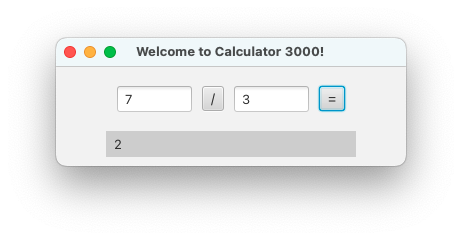
- All arithmetic will be integer-based and the result will be an integer.
- Clicking on the operator button will change the button text to a new operator. You should be able to perform addition, subtraction, multiplication, division, and modulus operations.
- The handler bound to the equals button and TextFields will perform the operation displayed in the operator button.
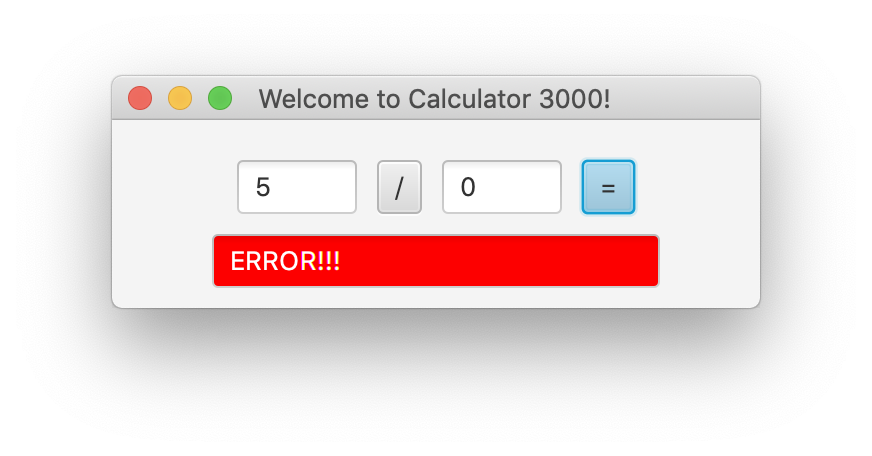
- If an illegal operation or any exception were to occur, the program will display the following: